Lead follow-up
Lead follow-up that does not depend on memory: stop new enquiries slipping through
Most growing B2B teams do not lose leads to competitors first. They lose them to silence: an enquiry that sat in a shared inbox because everyone assumed someone else had replied. This article follows one illustrative enquiry through that gap, looks at what research says about response time, and shows how to give every lead an owner and a status in Saleslox.
The scenario: a good enquiry on a busy Tuesday
Illustrative scenario. Kestrel Facilities, its people and its numbers are invented to show a common pattern. It is not a Saleslox customer, and no results are claimed for it.
Kestrel Facilities provides commercial cleaning and maintenance contracts for offices and warehouses. Enquiries arrive through a website form, a shared sales inbox and the occasional phone call to reception. The sales team is a manager, Sam, four account managers and one business development rep, Jo, who is meant to triage everything that comes in.
On a Tuesday morning, a property manager responsible for three warehouses fills in the website form asking for a quote. Jo is out at a site visit. Two account managers see the email notification, each assumes Jo will pick it up, and one flags it to “look at later”. Jo comes back to forty unread messages and starts at the top of the inbox, not the bottom.
The property manager gets a reply on Thursday afternoon. By then she has already booked walk-throughs with two other providers who called back the same day.
The problem: no owner, no status, no clock
Slow follow-up is rarely laziness. It comes from three gaps. There is no owner, because a shared inbox belongs to everyone and therefore to no one. There is no status, because an email cannot say “contacted”, “qualified” or “not a fit”. And there is no clock, because nothing shows how long an enquiry has been waiting.
Research suggests the clock matters a great deal. In a study published in Harvard Business Review, Oldroyd, McElheran and Elkington audited 2,241 US companies by sending each a web enquiry. 37% responded within an hour, 24% took more than 24 hours and 23% never responded at all; among companies that did respond within 30 days, the average response time was 42 hours. In a separate analysis of 1.25 million leads at 29 B2C and 13 B2B companies, firms that tried to contact a lead within an hour were nearly seven times as likely to qualify it as those that waited even an hour longer, and more than 60 times as likely as those that waited 24 hours or more [1].
The study is from 2011 and focused on online leads, so the exact multiples will differ for your market. The direction is hard to argue with: interest fades fast, and a team that replies first gets the first conversation. The authors also pointed to causes that still sound familiar, including pulling leads from systems in daily batches and distributing them by rules rather than speed [1].
What teams use today, and what it really costs
The shared inbox
A shared inbox is easy to set up and impossible to manage. It has no owner per message, no status beyond read or unread, and no way to see which enquiries are waiting longest. It is how Kestrel’s best lead of the week waited two days.
The leads spreadsheet
Some teams copy each enquiry into a sheet with an “owner” column. That helps, until the sheet falls behind the inbox, two people edit the same row, or someone forgets to update the status after a call. Salesforce’s State of Sales survey of 4,050 sales professionals found that reps spend only 40% of their week selling, with manually entering data taking 13% of the week [2]. Copying leads from an inbox into a sheet is exactly that kind of work.
Memory and good intentions
“I’ll call them after lunch” is a plan without a reminder. When the day gets busy, follow-ups made from memory are the first thing to slip.
How Saleslox handles the same enquiry
The goal is simple: every enquiry becomes a lead with an owner and a status the whole team can see, and nothing is closed by being forgotten. The screenshots are real Saleslox screens from a demo workspace on the Enterprise plan; where a feature depends on the plan, we say so.
Step 1: the enquiry becomes a lead on a shared board
Instead of sitting in an inbox, the warehouse enquiry becomes a lead. The Leads board has columns for New, Working, Qualified, Converted and Disqualified, each with a count, so a growing New column is visible at a glance. Each card carries a hot, warm or cold tag and a status selector, and the board switches to a table when the team wants to scan a long list. Lead capture is included on every plan.

Step 2: status replaces “did anyone reply?”
When Jo calls the property manager, she moves the lead from New to Working. When the requirement is confirmed, it moves to Qualified. If it is not a fit, it goes to Disqualified rather than staying in the inbox forever. The board now answers the question that used to cost a team meeting: which enquiries has nobody touched? The search box finds any lead by company, contact name, email, phone, source, notes or salesperson.
Step 3: the follow-up lives on the record
The lead belongs to a company record, where contacts, activities and leads sit on tabs alongside an open pipeline snapshot. From that page the team can raise a new lead or start a sales cycle. On Professional and Enterprise, a sales cycle gives the account dated stages and tasks in to-do, doing and done, and My Stats, the page each user lands on after signing in, shows open leads, hot leads and follow-ups due today.

Step 4: qualified leads become opportunities
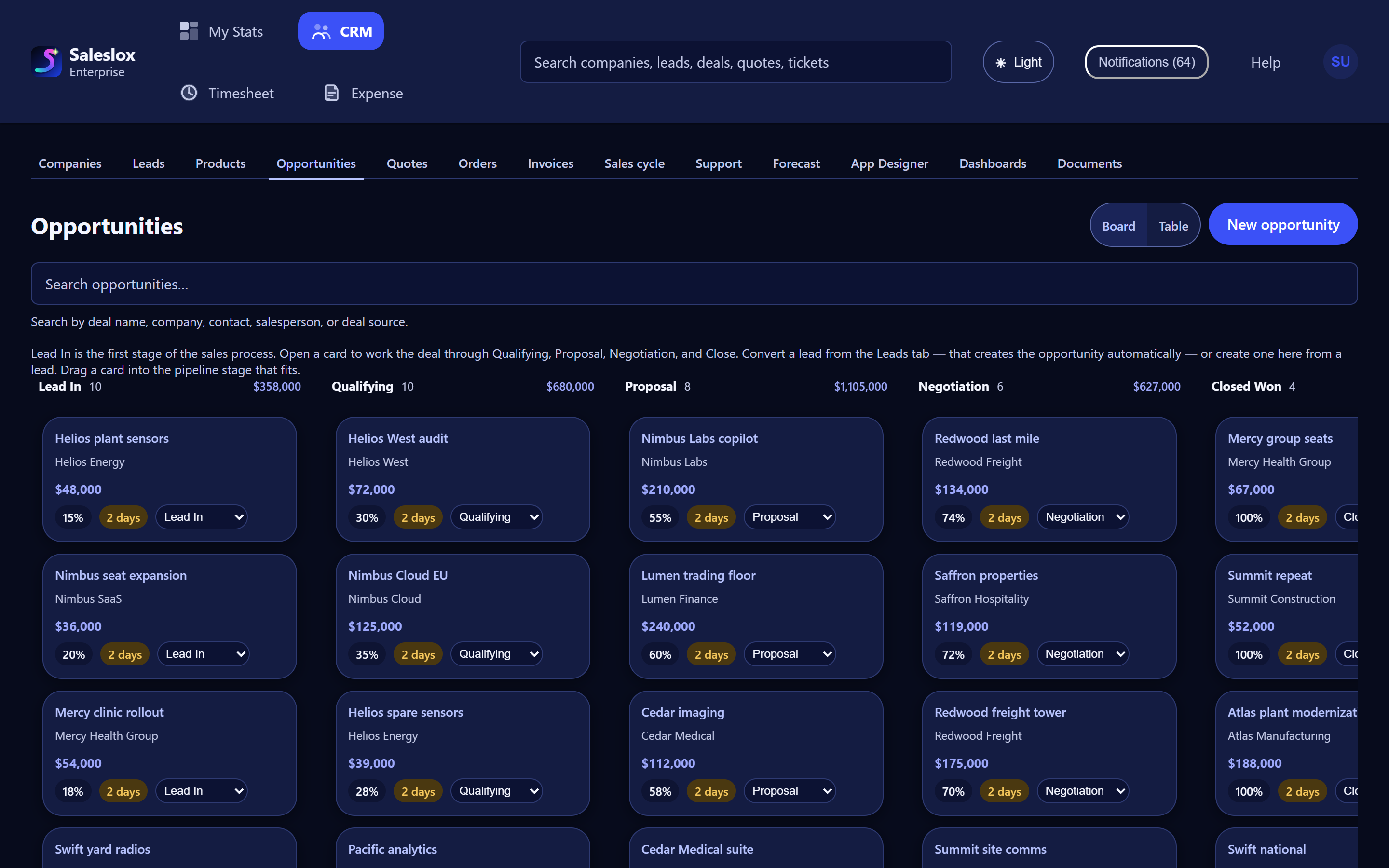
Once the property manager agrees to a site walk-through, Jo converts the lead. Converting creates the opportunity on the deal board, where it carries a value, a probability and an age, so the hand-off from business development to the account manager is a record, not a forwarded email.
Shared inbox vs Saleslox leads
| Question | Shared inbox or sheet | Saleslox |
|---|---|---|
| Who owns this enquiry? | Whoever opened it, maybe | Salesperson on the lead, searchable |
| Has anyone replied? | Read the thread | Status column: New, Working, Qualified, Converted, Disqualified |
| How hot is it? | Not recorded | Hot, warm or cold tag on the card |
| What is waiting? | Unread count | Count on the New column |
| What follow-ups are due today? | Memory | Follow-ups due today on My Stats |
| Hand-off to an account manager | Forwarded email | Convert the lead into an opportunity |
What changes for a team like Kestrel
In the illustrative scenario, the warehouse enquiry lands in the New column with a count everyone can see. Sam’s morning check takes a minute: anything still in New from yesterday gets an owner before nine. Jo stops starting at the top of the inbox, and account managers stop assuming someone else has it.
Set up a lead follow-up routine this week
- Put every open enquiry from the last 30 days on the Leads board in its real status.
- Agree a response target as a team, and check the New column against it every morning.
- Tag each lead hot, warm or cold on first contact.
- Move every lead out of New on first contact, and to Disqualified when it is not a fit.
- Convert qualified leads so the account manager inherits a record, not a thread.
The trial is 30 days of Professional, with no card. For keeping deals moving once they are on the board, read why deals stall and how to see it before the stand-up.
Frequently asked questions
How fast should you follow up on a sales lead?
As fast as you reliably can. In the Harvard Business Review study of 1.25 million leads, firms that tried to contact a lead within an hour were nearly seven times as likely to qualify it as those that waited longer. Set a team target and measure against it.
What is a lead follow-up process?
It is an agreed routine for inbound enquiries: every lead gets an owner, a status and a next step, and the team checks for untouched leads every day.
How does Saleslox show which leads have not been contacted?
The Leads board shows New, Working, Qualified, Converted and Disqualified columns with counts, so leads still in New are visible at a glance.
Is lead capture included on every Saleslox plan?
Yes. Lead capture and pipeline stages are on every plan. Sales-cycle workflows and stalled-deal alerts are on Professional and Enterprise. The 30-day trial is Professional, with no card required.
Is Kestrel Facilities a real Saleslox customer?
No. Kestrel Facilities and every person and number in its story are invented to illustrate a common pattern. No customer results are claimed.
Sources
- Oldroyd, J. B., McElheran, K. and Elkington, D. (2011). “The Short Life of Online Sales Leads.” Harvard Business Review, 89(3), 28. hbr.org
- Salesforce (2026). State of Sales, 7th edition. Survey of 4,050 sales professionals in 22 countries, August–September 2025. salesforce.com